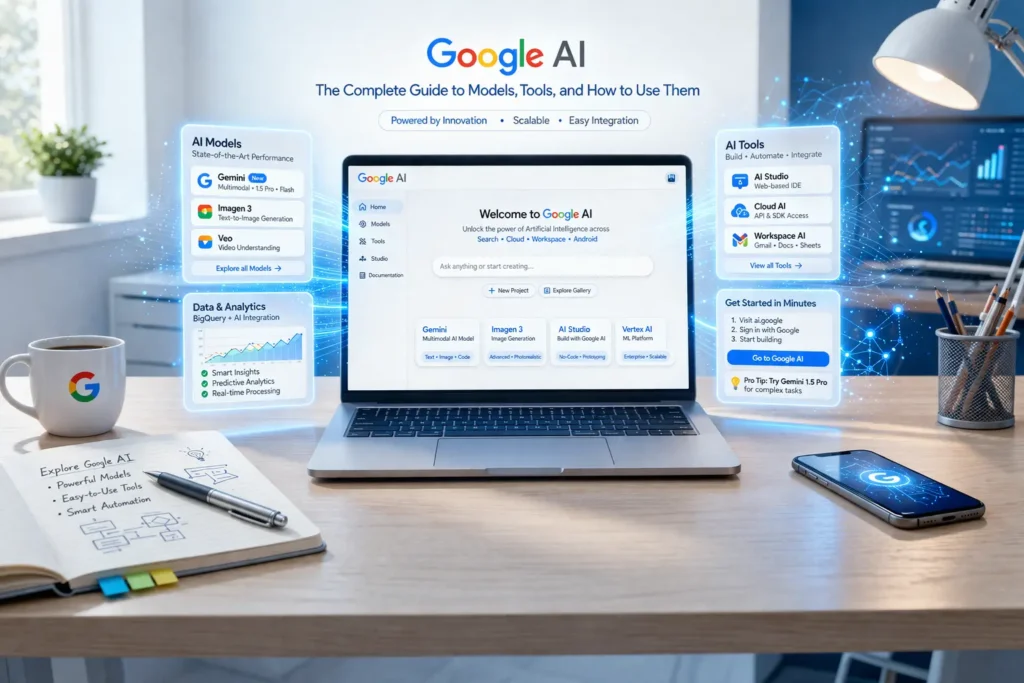
What is Google AI? A Unified Ecosystem
When most people hear ‘Google AI,’ they think of a chatbot or a search upgrade. In reality, Google AI is one of the most expansive artificial intelligence ecosystems on the planet — a convergence of cutting-edge research, powerful developer infrastructure, and consumer-facing products all working under a single mission: making AI helpful for everyone.
This ecosystem spans four major pillars:
- Google DeepMind — the world-class research lab behind AlphaFold, Gemini, and AlphaGo.
- Google Research — advancing machine learning theory, NLP, computer vision, and quantum computing.
- Google Cloud AI — enterprise-grade AI tools including Vertex AI, Document AI, and Contact Center AI.
- Google Products — AI embedded into Search, Workspace, Maps, Android, and Pixel devices.
Together, these pillars make Google AI not just a single product, but a living, evolving platform that touches billions of people every day. Understanding this distinction is key: Google AI is the umbrella, and products like Gemini are the stars that shine under it.
Key Pillars of Google AI
Each pillar plays a distinct role in the ecosystem. Research and DeepMind push the frontiers of what’s scientifically possible. Google Cloud AI translates those breakthroughs into scalable enterprise tools. And Google’s consumer products bring AI capabilities to everyday users through familiar interfaces like Gmail, Maps, and Search.
This document explores every layer — what each pillar offers, how to use it, how much it costs, and how it compares to the competition.
Core Google AI Products & Models
Gemini: The Next-Generation Model Family
Gemini is Google’s flagship large language model (LLM) family and the centerpiece of its AI strategy. Unlike earlier models, Gemini was built multimodal from the ground up — meaning it natively processes and reasons across text, images, audio, video, and code in a single model architecture.
| Model | Best For | Key Capability | Availability |
| Gemini Ultra | Complex enterprise tasks | Highest capability, long context window | Google One AI Premium, API |
| Gemini Pro | Scalable applications | Balanced performance & speed | Gemini app, Vertex AI, API |
| Gemini Flash | High-speed tasks | Fastest response, cost-efficient | API, AI Studio (free tier) |
| Gemini Nano | On-device AI | Runs locally on Android/Pixel devices | Pixel 8+, Android devices |
| Gemma (Open) | Research & custom models | Open-source, fine-tunable weights | Hugging Face, Kaggle, Colab |
The key differentiator for Gemini is its context window — the ability to process long documents, codebases, or conversations in a single pass. Gemini 1.5 Pro, for example, supports up to 1 million tokens, enabling tasks like analyzing an entire book or a large codebase at once.
Google AI for Developers
Google AI Studio & Vertex AI
For developers wanting to build with Gemini and other Google AI models, two primary platforms exist:
Google AI Studio is the fastest way to get started. It provides a browser-based playground for prototyping with Gemini models, testing prompts, and generating API keys — all for free within usage limits. Ideal for individual developers, students, and researchers.
Vertex AI is Google Cloud’s fully managed MLOps platform for production deployments. It supports model training, fine-tuning, evaluation, and serving at scale. Key features include Model Garden (a catalog of foundation models), Pipelines (automated ML workflows), and Feature Store (centralized feature management).
The key decision: use AI Studio for prototyping and Vertex AI for production. Developers building applications that need enterprise SLAs, compliance controls, and integration with Google Cloud services should use Vertex AI.
Open Source Models & Frameworks
Google has a strong open-source AI presence that is often underappreciated:
- Gemma — A family of open-weight models distilled from Gemini’s training. Available in 2B and 7B parameter sizes, fine-tunable for specific domains.
- TensorFlow — One of the world’s most popular machine learning frameworks, maintained by Google.
- JAX — A high-performance numerical computing library used by Google Research for cutting-edge model training.
- Keras — A high-level neural network API that now runs on top of TensorFlow, JAX, or PyTorch.
- Google Colab — A free, cloud-hosted Jupyter notebook environment with GPU access, pre-installed ML libraries, and direct integration with Google Drive.
AI Across Google Products
One of Google’s greatest strengths is how deeply AI is woven into its existing product portfolio:
- Google Search (AI Overviews) — AI-generated summaries appear at the top of search results for complex queries, synthesizing information from multiple sources.
- Google Workspace (Duet AI) — AI assistance is built into Gmail (Smart Compose, Smart Reply), Google Docs (Help me write), Sheets (data analysis), and Meet (notes, summaries).
- Google Maps — Immersive View uses AI to create photorealistic 3D previews of destinations, and route planning leverages real-time AI predictions.
- Android & Pixel — On-device Gemini Nano powers features like Call Screen, Now Playing, and real-time language translation without an internet connection.
- Google Photos — AI-powered search, object recognition, memory creation, and automatic background erasing.
Practical Applications: How to Use Google AI
For Individuals (Consumer Use)
You don’t need to be a developer to benefit from Google AI today. Here’s what’s available right now at no cost:
Gemini (at gemini.google.com): Ask questions, write essays, brainstorm ideas, plan trips, create study guides, get cooking recipes, or have an extended conversation on any topic. It can analyze images you upload and respond to follow-up questions in context.
Gmail Smart Features: Smart Compose suggests phrases as you type. ‘Help me write’ generates entire draft emails from a short prompt. Smart Reply offers one-tap responses to incoming messages.
Google Photos Magic Editor: Automatically remove unwanted objects, change backgrounds, or enhance portraits using AI — entirely within the app on your phone.
Search with AI Overviews: Get synthesized answers with cited sources for complex questions directly in Search results, saving time on multi-step research.
For Businesses & Enterprises
Google Cloud AI delivers production-ready tools that solve real business problems at scale:
- Contact Center AI (CCAI) — Automates customer service with virtual agents that understand natural language, escalate complex queries to humans, and provide real-time agent assistance.
- Document AI — Extracts structured data from invoices, contracts, medical forms, and ID documents using specialized ML models trained on millions of documents.
- BigQuery ML — Allows data analysts to build and run ML models using standard SQL queries directly inside BigQuery, eliminating the need for a separate data science team.
- Translation AI — Enterprise-grade document and website translation supporting 100+ languages with domain-specific customization.
- Retail AI — Personalized product recommendations, visual search, and demand forecasting for e-commerce platforms.
Real-world case studies from Google Cloud customers show average productivity gains of 20–40% in document processing, and customer satisfaction score improvements of 15–25% when CCAI is deployed in call centers.
For Developers & Researchers
Google provides a rich ecosystem for those building AI-native applications:
- Gemini API — Access Gemini Pro and Flash via REST or Python/Node.js SDKs. Supports chat, completion, embedding, and vision tasks.
- RAG (Retrieval-Augmented Generation) with Vertex AI — Build applications that combine Gemini’s reasoning with your own private data using vector search and grounding techniques.
- Code Assistance — Gemini-powered code completion is available in Colab, Android Studio, IntelliJ, VS Code, and the command line.
- Research Datasets & Papers — Google Research publishes open datasets, models, and findings at research.google. DeepMind has published landmark papers including AlphaFold 2, which predicted the 3D structure of nearly all known proteins.
Google AI vs. The Competition
How does Google AI stack up against OpenAI (ChatGPT), Microsoft Copilot, and Anthropic Claude? Here’s an objective breakdown:
| Feature | Google (Gemini) | OpenAI (ChatGPT) | Microsoft (Copilot) | Anthropic (Claude) |
| Best Multimodal Support | Native (text, image, audio, video) | GPT-4o (strong) | GPT-4 powered | Text + image (strong) |
| Context Window | Up to 1M tokens (1.5 Pro) | 128K tokens (GPT-4o) | 128K tokens | 200K tokens |
| Open-Source Model | Gemma (2B, 7B) | None official | Phi (via Azure) | None |
| Ecosystem Integration | Google Workspace, Cloud, Android | Microsoft 365, Azure | Microsoft 365, Windows | Slack, Notion (via API) |
| Free Tier | AI Studio, Gemini app (free) | ChatGPT Free (GPT-3.5) | Copilot Free | Claude.ai Free |
| Code Generation | Strong (Gemini, Code Assist) | Very Strong (Codex) | Strong (GitHub Copilot) | Strong |
| Enterprise Offering | Vertex AI, Workspace | Azure OpenAI, ChatGPT Ent. | Microsoft 365 Copilot | Claude for Enterprise |
| Responsible AI | SynthID, AI Principles | Safety systems, alignment | Responsible AI Standard | Constitutional AI |
Bottom line: Google AI’s key advantages are its deep integration with the world’s most-used productivity suite (Workspace), the largest context window available (Gemini 1.5 Pro), strong multimodal capabilities from day one, and the open-source Gemma family for researchers and fine-tuners. OpenAI maintains an edge in third-party plugin ecosystems; Anthropic Claude excels in instruction-following for complex, nuanced tasks.
Responsible AI: Google’s Commitment
The AI Principles
Google published its AI Principles in 2018 — one of the first major technology companies to do so. These principles define what Google will and will not build:
- Be socially beneficial — AI should benefit individuals and society.
- Avoid creating or reinforcing unfair bias — models must be tested for demographic fairness.
- Be built and tested for safety — safety research must precede deployment.
- Be accountable to people — systems must allow for meaningful human oversight.
- Incorporate privacy design principles — data collection must be transparent and minimal.
- Uphold high standards of scientific excellence — methods must be rigorous and reproducible.
- Be made available for uses that accord with these principles — Google will not build AI for weapons of mass destruction, surveillance tools that violate norms, or technologies that undermine democratic processes.
How Google is Building AI Responsibly
SynthID (Watermarking): Google DeepMind developed SynthID, a tool that embeds invisible, statistically robust watermarks into AI-generated images, audio, and text. This allows content to be identified as AI-generated without degrading quality, even after modification.
Red Teaming: Before major model releases, Google runs dedicated red team exercises — adversarial testing where experts attempt to elicit harmful, biased, or misleading outputs. Findings are used to improve safety filters and alignment training.
Bias Mitigation: Google Research has published extensively on bias evaluation in language models and image generation systems, contributing open-source toolkits like the What-If Tool and Model Cards for transparent model documentation.
Data Governance: Google Cloud offers data residency controls, customer-managed encryption keys (CMEK), and private deployment options on Vertex AI, ensuring enterprise customers maintain control over their data.
Pricing & Getting Started
One of the most confusing aspects of Google AI is understanding the costs. Here’s a clear breakdown by user type:
| User Type | Recommended Product | Cost | What You Get |
| Curious Consumer | Gemini App (gemini.google.com) | Free | Gemini Pro access, text & image chat |
| Power User / Student | Google One AI Premium | ~$19.99/month | Gemini Ultra, 2TB storage, Workspace AI |
| Developer (Light) | Google AI Studio | Free (with quota limits) | Gemini Flash & Pro API access, prototyping |
| Developer (Production) | Vertex AI API | Usage-based (per 1K tokens) | All models, SLAs, enterprise features |
| Business (Workspace) | Duet AI for Google Workspace | Add-on per user/month | AI in Gmail, Docs, Sheets, Meet, Slides |
| Enterprise (Cloud) | Google Cloud AI Suite | Custom contract / usage | Vertex AI, CCAI, Document AI, BigQuery ML |
| Researcher | Google Colab + Gemma | Free (Colab basic) / Pro | GPU notebooks, open models, datasets |
The free tiers are genuinely useful — Google AI Studio allows developers to make thousands of API calls per day at no cost, making it one of the most accessible AI development environments available. Paid tiers scale with usage, which means you only pay for what you use.
How to Get Started: Step-by-Step
Whether you’re a consumer, developer, or enterprise team, here’s your path to getting started with Google AI:
Step 1 — Try Gemini as a Consumer: Visit gemini.google.com, sign in with your Google account, and start a conversation. Try uploading an image and asking questions about it, or ask Gemini to help you write an email or plan a trip.
Step 2 — Explore AI Studio as a Developer: Go to aistudio.google.com. Create a free account, experiment with the prompt playground, and generate an API key. Try the starter Python or JavaScript code snippets to make your first API call.
Step 3 — Build Your First App: Use the Gemini API to build a simple question-answering app, PDF analyzer, or image captioning tool. Google provides official quickstart guides in Python, Node.js, Go, and REST.
Step 4 — Scale with Vertex AI: When your app needs production reliability, move to Vertex AI. Set up a Google Cloud project, enable the Vertex AI API, and deploy a managed endpoint. Use Vertex AI Pipelines to automate retraining.
Step 5 — Integrate with Your Stack: Add AI capabilities to your existing Google Workspace using Duet AI, connect to enterprise data sources using BigQuery ML, or deploy a custom Document AI processor for your industry.
faqs
What is the difference between Google AI and Gemini?
Google AI is the overall company effort to advance artificial intelligence — encompassing DeepMind, Google Research, Google Cloud AI, and AI embedded in consumer products. Gemini is the specific family of large language models developed under that umbrella. Think of Google AI as the parent ecosystem, and Gemini as its most advanced and visible product.
Is Google AI free to use?
Yes, many tools are free. Google AI Studio offers free API access with daily usage quotas, Colab notebooks are free (with optional Pro tiers for more GPU), and the Gemini app is free to use with Gemini Pro. Advanced features — like Gemini Ultra, high-volume API calls, and enterprise Vertex AI features — require a subscription or pay-per-use billing.
How does Google AI compare to ChatGPT?
Both are powerful, but they excel in different areas. Google Gemini has a larger context window (up to 1 million tokens vs. 128K for GPT-4o), stronger native multimodal support, and deeper integration with Google’s ecosystem. OpenAI’s ChatGPT is known for its mature plugin ecosystem, strong code generation, and wide third-party integrations. For most users, the best choice depends on where they already spend their digital lives — Google Workspace vs. Microsoft 365.
Can I use Google AI to write and debug code?
Absolutely. Gemini models are highly capable at generating, explaining, and debugging code across dozens of programming languages. You can use this for free in Google AI Studio or Colab. For IDE integration, Google Code Assist (available in VS Code, JetBrains IDEs, and Cloud Shell) provides inline code completion and chat powered by Gemini.
What is Google’s policy on AI-generated content for SEO?
Google Search’s policy focuses on content quality, not how it was produced. AI-generated content is allowed and can rank well if it demonstrates E-E-A-T: Experience, Expertise, Authoritativeness, and Trustworthiness. Using AI to generate content at scale solely to manipulate search rankings, without adding genuine value, violates Google’s spam policies. The guidance is simple: create content that is helpful to humans, regardless of the production method.
What is the most advanced Google AI model available today?
As of 2025, the Gemini 1.5 family represents Google’s most advanced publicly available models. Gemini 1.5 Pro is the most capable, featuring a 1 million token context window and strong performance across reasoning, coding, and multimodal tasks. Gemini Ultra (now branded as Gemini Advanced) offers the highest capability tier for consumers. Google DeepMind continues to develop next-generation models that have not yet been publicly released.
Is Google AI safe to use for sensitive business data?
Google Cloud AI offers enterprise-grade security controls. Vertex AI supports customer-managed encryption keys (CMEK), VPC Service Controls, data residency options, and private endpoints. Importantly, Google states that prompts and responses sent to Vertex AI are not used to train foundation models without explicit opt-in. Businesses in regulated industries (healthcare, finance, legal) should review Google’s compliance documentation and consider Vertex AI’s assured workloads options.
How do I fine-tune a Google AI model for my specific use case?
Google offers supervised fine-tuning for Gemini models through Vertex AI. You provide labeled training examples (input-output pairs) in a JSONL format, upload them to Google Cloud Storage, and initiate a fine-tuning job. The resulting model is deployed as a private, tuned endpoint that only your project can access. Google also supports parameter-efficient fine-tuning (PEFT) techniques that significantly reduce compute costs.
Conclusion
Google AI is not a single product or a single moment — it is a continuous, accelerating investment in artificial intelligence across every dimension of computing. From the foundational research coming out of DeepMind and Google Research, to the developer tools on Vertex AI and AI Studio, to the AI features now embedded in the apps used by billions, Google has positioned itself as the most integrated AI ecosystem in the world.
For consumers, the best entry point is Gemini — start a conversation, explore its multimodal capabilities, and discover how it can amplify your daily productivity. For developers, Google AI Studio offers the fastest zero-to-API experience in the industry, backed by production-grade infrastructure when you’re ready to scale. For enterprises, Vertex AI provides the security, compliance, and customization controls that mission-critical deployments require.
The AI landscape is moving fast. But with this guide as your foundation, you’re equipped to navigate the Google AI ecosystem with confidence — whether you’re building the next generation of applications, running a business, or simply curious about what AI can do for you today.

Adrian Cole is a seasoned content creator specializing in artificial intelligence, emerging technologies, and digital innovation. With a strong passion for breaking down complex technical concepts into clear, practical insights, Adrian helps readers understand how AI is shaping businesses, products, and everyday life. His work focuses on real-world applications of machine learning, automation, SaaS tools, and future tech trends, making advanced technology accessible to both professionals and curious learners. Adrian is known for his balanced, experience-driven approach that blends technical accuracy with human-centered storytelling.